Mastering CRM for Sales Success
A CRM system for sales teams centralizes customer data, codifies sales processes, and automates routine workflows to increase close rates and pipeline visibility. This guide explains what high-performing sales teams do differently, offering an implementation roadmap, pipeline management tactics, integration and security patterns, adoption strategies, and practical ways to harness AI and automation. Many sales organizations struggle with fragmented contact records, inconsistent opportunity stages, and low user adoption; this article presents clear steps to align people, processes, and technology to resolve those pain points. You will learn prioritized deployment steps, pipeline hygiene routines, data-integration topologies, governance checklists, and training, plus incentive approaches that drive sustained CRM usage. The article also covers how conversational AI and predictive models can improve lead scoring and workflow efficiency, and it cites modern examples of AI-enabled sales enablement tools as illustrative examples. Read on for checklists, decision tables, and actionable playbooks you can map directly to your sales operations to improve forecasting accuracy, increase conversion velocity, and protect customer data.
What Are the Essential CRM Implementation Best Practices for Sales Teams?
A successful CRM implementation begins with aligning the CRM system to defined sales processes so the tool reinforces expected behaviors and measurable outcomes. Defining the sales stages and mapping them to CRM opportunity stages establishes a canonical sales pipeline that supports forecasting, reporting, and automation; this alignment reduces ambiguity and speeds adoption. Prioritizing features, phasing the rollout, and establishing governance with clear roles and success metrics prevent scope creep and ensure measurable progress. The following paragraphs detail a stepwise deployment checklist, practical customization guidance, and a concise implementation comparison table to help teams choose priorities and timelines.
This stepwise checklist summarizes the deployment sequence and supports featured-snippet clarity:
- Conduct discovery and stakeholder interviews to document sales workflows and KPIs.
- Clean and prepare data for migration, including deduplication and canonicalization.
- Pilot with a subset of users, iterate on configuration, then phase a staged rollout.
- Define governance, role-based permissions, and measurable adoption and revenue goals.
The checklist above leads naturally into concrete deployment steps and pilot criteria that minimize disruption while validating configurations.
Intro to implementation components table: the following comparison helps planners weigh complexity, required resources, and expected timeframes for core activities.
This table helps prioritize effort: discovery clarifies scope, data migration secures data quality, configuration adapts the tool, and pilot/rollout validates adoption before full launch.
Which Steps Ensure Successful CRM System Deployment?
Deployment begins with discovery where the team captures how salespeople qualify leads, progress opportunities, and close deals; this produces the process maps used to configure the CRM. Discovery also identifies integrations, data sources, and reporting needs, which informs data migration and API requirements. After design and configuration, run a pilot with a representative group of end users to collect usability feedback, measure process compliance, and iterate on automation rules before wider rollout. Issues discovered during the pilot—such as mismatched fields or excessive required fields—should be corrected and re-tested, and the pilot’s lessons should shape training materials and governance policies for the phased launch.
How to Customize CRM Tools to Fit Sales Team Needs?
Customization should map only critical sales activities—opportunity stages, qualification fields, and activity types—so the CRM reflects actual selling behavior without becoming a maintenance burden. Use custom fields sparingly and document each change in a configuration log so future admins understand rationale and dependencies; over-customization creates technical debt and complicates upgrades. Implement automation rules for repetitive tasks like follow-up creation, lead routing, and stage-based notifications to reduce manual work and maintain deal hygiene. Thoughtful customization balances flexibility with simplicity: prioritize templates, dropdowns, and automation that drive consistent data capture and measurable pipeline outcomes.
Mastering CRM for Exceptional Sales Success with Launched

Pipeline management software improves team performance by increasing visibility into deal stages, surfacing bottlenecks, and enabling prioritization through lead and opportunity scoring. A structured pipeline shortens sales cycles by focusing seller activity on high-value opportunities and automating routine touches, which increases conversion rates and forecast accuracy. The following list outlines direct benefits and sample metrics to illustrate expected outcomes for sales leaders evaluating pipeline tools.
Pipeline management delivers these key benefits:
- Improved Forecasting: Clear opportunity stages and weighted pipeline metrics increase forecast accuracy and reduce surprise variance.
- Better Prioritization: Scoring and signal-based prioritization help reps focus on deals with the highest likelihood to close.
- Faster Velocity: Automated follow-ups and playbooks reduce time between stages and improve conversion rates.
These benefits set the stage for practical techniques—such as cadence-driven pipeline reviews and hygiene rituals—that sustain pipeline health and drive measurable improvement in win rates.
Compare common pipeline features and when to use them with this EAV table to inform selection:
This table clarifies which features deliver strategic versus operational impact, helping leaders select functionality that fits their team’s maturity and goals.
What Are Effective Techniques for Managing Sales Pipelines?
Effective pipeline management relies on regular review cadences, explicit qualification frameworks, and actionable KPIs that drive behavior. Hold weekly pipeline reviews focused on deal risk, next steps, and resource needs to maintain deal hygiene and escalate blockers early. Implement a qualification framework—such as MEDDIC or SPICED—to ensure consistent evaluation criteria and reduce false positives in the pipeline. Track KPIs such as stage conversion rates, average days in stage, and pipeline coverage to measure progress and adjust coaching or processes accordingly; these metrics provide objective signals to guide managerial interventions.
Which Features Should Sales Pipeline Software Include?
Prioritize features that improve visibility, integration, and seller productivity: a customizable visual pipeline, robust forecasting, activity tracking, and native integrations with communication channels and marketing systems. Visual pipeline views with drag-and-drop editing and speed context switching for reps, making coaching more tangible for managers. Activity tracking that logs calls, emails, and meetings ensures accurate correlations between activity and outcomes and supports performance coaching. Integration capabilities—APIs, webhooks, and pre-built connectors—enable pipeline software to stay in sync with marketing automation, billing, and customer success systems, preserving a single source of truth.
Mastering CRM for Exceptional Sales Success with Launched
Robust CRM data integration and security start with a canonical data model and defined synchronization patterns to ensure customer data is accurate, timely, and protected. Choose integration topologies—direct sync, middleware, or event-driven APIs—based on scale, latency needs, and error-handling capabilities, and implement mapping and transformation rules to reconcile differing schemas. Apply role-based access control, encryption in transit and at rest, and audit logs to reduce risk and support compliance with data protection regulations. Below is an integration-pattern mapping tabletoo guide architecture choices, along with a short security checklist for operational controls.
Integration patterns and security considerations:
The mapping clarifies trade-offs: direct syncs are simpler but may strain APIs; middleware adds transformation power; and event-driven topologies support real-time use cases but require robust monitoring.
The following checklist summarizes prioritized security controls for CRM systems:
- Implement role-based access control and least-privilege permissions.
- Encrypt data at rest and in transit and manage keys securely.
- Maintain audit logs and monitoring for suspicious access and changes.
These controls reduce exposure while enabling necessary access for sales operations, and they lead to specific integration techniques for seamless customer data flows.
How to Integrate Customer Data Seamlessly Across CRM Systems?
Seamless integration requires selecting the proper topology—middleware for complex transformations, direct API syncs for simple point-to-point needs, or event-driven messaging for real-time flows—and implementing robust data mapping and reconciliation processes. Establish canonical identifiers for contacts and accounts to drive deduplication and linking across systems; this single source of truth enables reliable reporting and prevents fragmented experiences. Set up reconciliation routines that surface mismatches, track error queues, and provide clear remediation workflows so data integrity issues are resolved promptly. Monitoring and alerting for sync failures, combined with rollback and retry logic, help maintain continuity and trust across data-integrated systems.
What Security Measures Protect CRM Customer Data?
Protect customer data with layered controls that include access governance, encryption, logging, and periodic review procedures to maintain compliance and minimize insider risk. Apply role-based access and attribute-based controls to ensure reps and managers see only data necessary for their responsibilities, enforcing the principle of least privilege. Encrypt sensitive fields both at rest and in transit, and use secure API authentication methods with short-lived tokens to reduce token misuse. Finally, perform regular audits of permissions, data exports, and integrations to detect anomalies and validate that security controls remain effective.
How to Increase CRM User Adoption Among Sales Teams?
Driving CRM adoption combines simplified workflows, targeted training, and incentive structures that reinforce desired behaviors rather than penalize mistakes. Role-specific UX tailoring ensures that each seller sees only the fields and actions relevant to their workflow, reducing friction and data entry time. Combine onboarding with hands-on sandbox practice, microlearning modules, and scheduled office hours to reinforce usage and answer real-world questions. The following list summarizes a practical adoption framework that guides managers to align training, incentives, and governance to sustain CRM use.
Adoption framework highlights:
- Role-Based Workflows: Simplify interfaces and fields by role to reduce cognitive load and speed data capture.
- Targeted Training: Use microlearning, scenario-based sessions, and sandbox practice to increase competence.
- Incentives & Measurement: Tie recognition and rewards to measurable CRM hygiene and pipeline outcomes.
This adoption approach naturally leads to detailed training strategies and incentive designs that avoid perverse outcomes while promoting data quality.
Which Training Strategies Boost CRM User Engagement?
Practical training combines initial onboarding, role-based curricula, and ongoing microlearning that reinforce habits through repetition and real-world application. Start with a hands-on sandbox environment where users practice typical workflows such as creating contacts, updating opportunities, and following playbooks; this reduces first-use anxiety. Deliver microlearning modules on specific features and schedule weekly office hours or drop-in coaching to quickly address adoption blockers. Measure training effectiveness using adoption KPIs—daily active users, data completeness scores, and time-to-first-entry—and iterate training content based on those signals.
What Incentives Encourage Consistent CRM Usage?
Design incentives that reward quality and consistency of CRM behavior rather than raw volume to avoid gaming the system and preserve data integrity. Use gamification and recognition programs to highlight top performers in data completeness and timely activity logging while tying a portion of performance reviews or team bonuses to measurable CRM hygiene metrics. Avoid perverse incentives by focusing rewards on outcomes—such as improved forecast accuracy or pipeline-to-quota conversion—rather than on the number of entries alone. Establish guardrails in governance policies to monitor for manipulation and ensure incentives support long-term improvements.
How Does AI and Automation Enhance CRM for Sales Teams?

AI and automation extend CRM value by automating repetitive tasks, enriching records with predictive signals, and enabling conversational interfaces that accelerate qualification and engagement. Predictive lead and opportunity scoring let sales teams focus on the highest-propensity accounts, while automation sequences reduce manual follow-ups and maintain consistent buyer engagement. Conversational AI and workflow orchestration can capture initial qualification data and create tasks or handoffs within the CRM, improving response time and maintaining pipeline velocity. In practice, these capabilities require high-quality data, governance for model outputs, and monitoring to ensure recommendations align with sales strategy.
Below is a concise list of AI-driven CRM enhancements and expected outcomes to clarify practical benefits.
- Predictive Scoring: Prioritizes leads and opportunities to improve conversion rates.
- Conversational AI: Automates initial outreach and qualification while logging interactions.
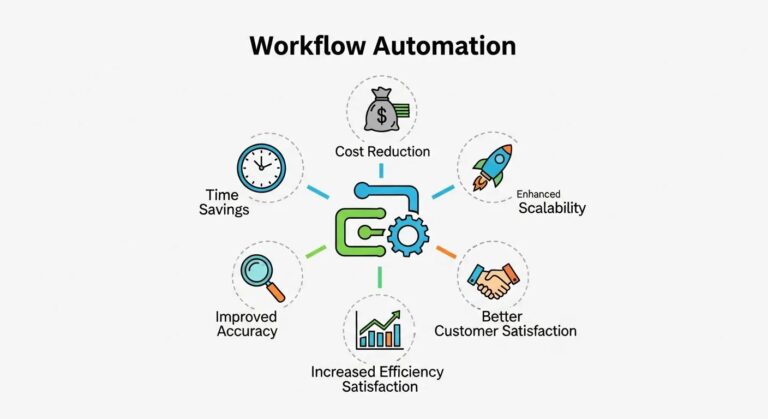
- Workflow Automation: Creates tasks, sequences emails, and enforces SLAs to reduce administrative burden.
These AI capabilities naturally bring implementation considerations such as data quality and human oversight, which are discussed in the following subsections.
Per the allowed business information, companies focused on sales enablement technologies—particularly those that leverage conversational AI—illustrate how AI can plug into CRM workflows. Tools from providers specializing in conversational AI and CRM integrations can automate personalized sales communications, enrich customer records, and improve pipeline visibility; such AI-enabled connectors are examples of technology that reduce manual work during implementation and support ongoing data-driven selling.
What AI Features Improve Sales Pipeline Management?
AI features that materially improve pipeline management include predictive lead and opportunity scoring, next-best-action recommendations, and demand-forecasting models that adjust for seasonality and pipeline signals. Predictive scoring models analyze historical conversion outcomes and current behavioral signals to assign likelihoods that guide seller attention and marketing nurture. Next-best-action engines suggest the most effective touch—call, email, or content—to move a deal forward, raising the probability of conversion per interaction. Forecasting models that incorporate ML can reduce bias in manager-based estimates by synthesizing activity, win rates, and external signals into probabilistic forecasts.
How Can Automation Streamline CRM Workflows?
Automation streamlines CRM workflows by capturing repetitive tasks—task creation, email sequencing, data enrichment, and SLA enforcement—so sellers spend more time engaging customers and less time on administration. Recipe-based automations can create follow-up tasks after meetings, update opportunity stages when criteria are met, and enrich records with third-party firmographic or intent signals to accelerate qualification. Maintain observability for automation rules, including monitoring, rollback options, and manual overrides, to prevent cascading errors and ensure human-in-the-loop control where decisions require judgment. Properly monitored automation reduces administrative load, maintains data hygiene, and speeds execution of repeatable sales motions.
Frequently Asked Questions
What are the common challenges sales teams face when implementing a CRM system?
Sales teams often encounter several challenges during CRM implementation, including data quality issues, user resistance, and integration complexities. Fragmented data can lead to inaccurate insights, while low user adoption may stem from inadequate training or overly complex interfaces. Additionally, aligning the CRM with existing sales processes is crucial; if not done properly, it can create confusion and hinder productivity. Addressing these challenges early through thorough planning and stakeholder engagement is essential for a successful CRM rollout.
How can sales teams measure the effectiveness of their CRM system?
To measure CRM effectiveness, sales teams should track key performance indicators (KPIs) such as user adoption rates, data accuracy, and sales cycle length. Metrics like the number of active users, data completeness scores, and conversion rates provide insights into how well the CRM supports sales activities. Regularly reviewing these metrics allows teams to identify areas for improvement and adjust training or processes accordingly. Additionally, user feedback can help refine the system to better meet their needs.
What role does training play in CRM user adoption?
Training is critical for CRM user adoption, as it equips sales teams with the knowledge and skills to use the system effectively. Comprehensive training programs should include initial onboarding, role-specific sessions, and ongoing support through microlearning and hands-on practice. By providing users with the tools to navigate the CRM confidently, organizations can reduce resistance and enhance engagement. Continuous training also helps reinforce best practices and keeps users informed about new features and updates.
How can sales teams ensure data integrity within their CRM?
Ensuring data integrity in a CRM involves implementing strict data governance policies, conducting regular audits, and providing user training on data entry best practices. Establishing a canonical data model helps maintain record consistency, while deduplication processes prevent fragmented data. Additionally, role-based access controls can limit who can modify sensitive information, reducing the risk of errors. Regularly monitoring data quality and providing feedback to users can further enhance the accuracy and reliability of the CRM data.
What are the benefits of integrating AI with CRM systems?
Integrating AI with CRM systems offers numerous benefits, including enhanced lead scoring, improved customer insights, and streamlined workflows. AI can analyze historical data to predict which leads are most likely to convert, allowing sales teams to prioritize their efforts effectively. Additionally, AI-driven automation can handle repetitive tasks, freeing up time for sales representatives to focus on building relationships. Overall, AI integration enhances decision-making and operational efficiency, leading to better sales outcomes.
How can sales teams leverage automation to improve their CRM processes?
Sales teams can leverage automation to streamline CRM processes, including task creation, follow-up scheduling, and data entry. By automating routine tasks, teams can reduce administrative burdens and ensure timely engagement with prospects. For instance, automated follow-up reminders can help maintain consistent communication with leads. Additionally, automation can enhance data accuracy by minimizing manual entry errors. Implementing these automated workflows allows sales representatives to concentrate on high-value activities that drive revenue.