

Simplify Product Demos with AI Explainer Videos from Launched
AI explainer videos are short, automated animated clips that turn technical product details into concise visual stories. Using machine learning for scriptwriting, scene composition, and synthetic voiceover, these tools convert product specs into 60–90 second demos by combining text-to-scene generation, template-driven storyboards, and voice synthesis. This guide explains what these platforms do, which features matter for demos, how they plug into marketing automation, and practical steps for implementation — including structured-data tactics to improve discoverability. We pair conceptual context with hands-on workflows and comparisons so teams can judge trade-offs between speed and creative control. Expect checklists, comparisons, and EAV tables that tie benefits to metrics, JSON-LD examples for VideoObject and SoftwareApplication, and short vendor-context notes that show real-world positioning.
Simplify Product Demos with AI Explainer Videos from Launched
- AI explainer video platforms automate scriptwriting, scene assembly, and voice synthesis to make complex product ideas easier to understand.
- These videos speed up product demos, onboarding, and marketing by delivering clear, visual narratives in short formats.
- Automation cuts production time and cost by replacing manual storyboarding and external voice talent with fast, repeatable workflows.
- Pick tools that balance automation with brand controls, customization, and marketing integrations to match your needs.
- Personalized AI videos boost engagement by tailoring content to audience segments and improving retention.
- Linking AI videos to marketing automation enables scalable distribution, measurement, and A/B testing.
- Adding structured data like VideoObject schema increases discoverability and SEO for explainer content.
- Successful rollout requires planning, automated production flows, distribution planning, and performance tracking.
- Track metrics such as watch-through rates and conversions to measure impact and refine your video program.
What Are AI Explainer Videos and How Do They Simplify Complex Concepts?
AI explainer videos are brief animated product explainers that use machine learning to automate scripting, scene layout, and voice synthesis, turning technical inputs into clear narratives. These systems map product attributes to visual metaphors and build scenes from template libraries while generating a neutral or branded voiceover, which lowers cognitive load for viewers. The outcome is repeatable, fast educational content that converts specs into digestible explanations ideal for onboarding, sales, and marketing demos. Below is a short list of common use cases where AI explainer videos add immediate value.
AI explainer videos commonly support these applications:
- Product demos that clarify feature value quickly and consistently.
- Onboarding sequences that teach core flows without live training sessions.
- Marketing education content that shortens buyer decision cycles by illustrating outcomes.
These examples show how automation shapes narrative arcs from dense information; next, we define this software category and the core automated tasks that enable those outcomes.
Defining AI-Powered Animated Video Makers for Product Explanation
AI-powered animated video makers for product explanation blend script generation, scene-building tools, and asset management to turn technical content into short demos with minimal manual editing. They typically accept product specs, bullet points, or a brief and output a draft storyboard, scene list, and synthesized narration — automating repetitive steps such as background selection and timed captions. This workflow supports typical product explanation tasks: creating a 60-second script from feature lists, pairing visuals with benefit statements, and exporting brand-compliant files for distribution. Knowing these core capabilities helps teams judge how much manual polish they’ll need versus what can stay automated in their pipeline.
These automation features enable a direct comparison with legacy production processes, which we cover next to highlight the time and resource trade-offs.
How AI Technology Transforms Traditional Explainer Videos
Traditional explainer production requires manual storyboarding, voice casting, and frame-by-frame animation. AI tools compress those steps by auto-generating storyboards and using synthetic voiceovers that match pacing and tone. That shift enables rapid iteration—teams can test multiple scripts and visual styles in the time it used to take to complete a single manual edit—thereby powering faster A/B testing and optimization. Trade-offs include reduced bespoke creative control versus much lower unit cost and lead time, making AI ideal for scalable campaigns and frequent product updates. Use these trade-offs to decide when to use AI for prototype-level demos and when to invest in handcrafted videos for flagship launches.
Which AI Video Creation Tools Are Best for Animated Product Demos?
Picking the right AI video tool depends on how you weigh automation, customization, template quality, and integrations with your marketing stack. Prioritize script-to-video fidelity, brand kit controls, export formats, APIs, or native connectors for CMS and automation tools. The checklist below helps product and marketing teams shortlist platforms before hands-on trials.
- Assess automation level: Confirm whether auto-storyboarding produces usable drafts or only rough concepts.
- Verify brand controls: Make sure color, font, logo, and voice presets can be enforced for consistent output.
- Confirm integrations: Look for direct export paths to LMS, CMS, ad platforms, or marketing automation tools.
Use this checklist to narrow candidates before testing; the table below summarizes typical tool categories so you can compare automation and customization at a glance.
Intro: The table compares common categories of AI-animated video makers and highlights their core differences for product demos, with a focus on automation, templates, branding, and integrations.
This comparison makes it easier to match tool types to project constraints; next, we examine platform features that matter most for demos.
Top Features of Leading AI Explainer Video Software Platforms
Top platforms focus on features that reduce production overhead while maintaining brand consistency: script generators, scene libraries, and brand kits that lock in logos and colors. Script and storyboard automation speeds up initial drafts, animation templates accelerate timing and motion design, and voice synthesis removes the need for studio recordings. Integrations with asset libraries and marketing platforms let you run a single workflow from brief to distribution, and export options (MP4, WebM, captions) ensure compatibility across channels. Evaluate how mature each component is—how close it gets to a near-final asset—to reduce revision cycles and speed time to market.
These priorities lead naturally to weighing automation versus customization, which we address next.
Comparing AI Animation Software: Automation and Customization
Automation speeds production but can limit bespoke visual choices; platforms that expose deep customization often require more human input and design skill. Use a simple rule: pick automation for iterative demos and high-volume needs; pick customization for flagship campaigns and brand-sensitive content. For small teams, text-to-video and template platforms usually offer the best ROI; larger creative teams may prefer hybrid systems with plugin-based customization. Match this rubric to your use cases—frequent updates versus one-off hero content—to choose tools that fit both team capacity and content goals.
Below is a compact EAV-style comparison of map tool choices to use cases.
Intro: This EAV table maps common tool categories to core attributes and practical value for product demo workflows.
This structured view supports a practical selection process; next we show how AI videos connect to marketing automation and engagement.
How Does AI Improve Video Marketing Automation and Customer Engagement?
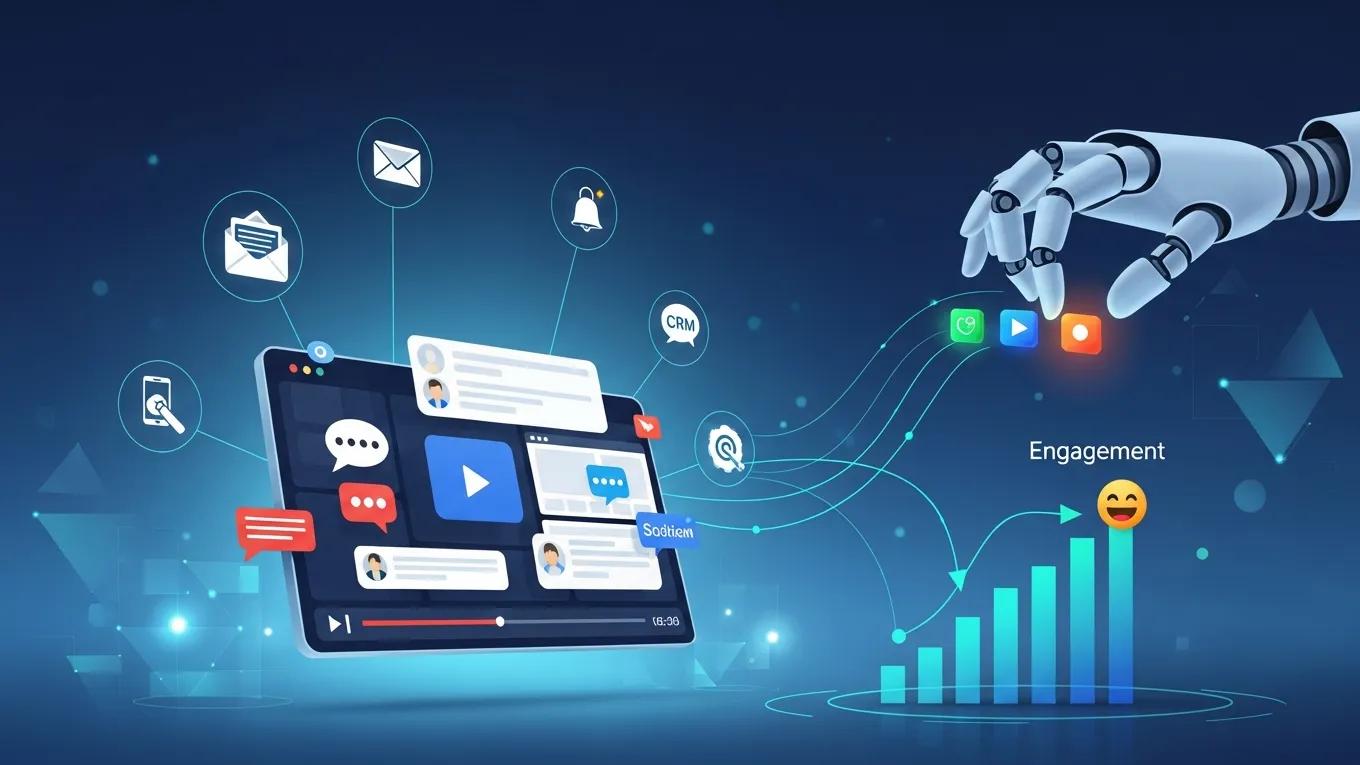
AI explainer videos feed marketing automation with on-demand, personalized visual content that can be dropped into email journeys, landing pages, and ads with little manual work. Mechanically, AI lets you merge personalization tokens—such as product names or audience segments—into scripts and render them at scale, thereby increasing relevance and perceived usefulness. The result is higher click-through and retention when messaging matches a viewer’s context; embedding video into automated flows also makes it easy to measure engagement metrics such as watch-through rate and conversions. Below are common integration patterns that illustrate distribution options.
AI-driven video integrates with marketing stacks in these ways:
- Embedding personalized explainer clips in onboarding emails to accelerate feature adoption.
- Serving short animated demos on landing pages to reduce bounce and improve conversions.
- Using short clips in paid campaigns to lift ad relevance and viewer engagement.
These scenarios show concrete placements; next, we provide a hands-on checklist for campaign integration and A/B testing to operationalize these ideas.
Integrating AI Explainer Videos into Marketing Campaigns
A practical integration checklist begins with a master explainer video, creates personalized variants using data tokens, and then orchestrates distribution and measurement in your automation platform. Steps include mapping data fields to script tokens, choosing the right video length per channel, setting up A/B tests for creative variables, and instrumenting analytics to capture watch rate and downstream behavior. Sample flows—welcome email → short demo → contextual follow-up—let teams iterate quickly and quantify lift. This operational approach turns video into a measurable part of the funnel rather than an untracked creative asset.
These gains rely on personalization mechanics; the next subsection explains why tailored animated videos improve comprehension and engagement.
Benefits of Personalized Animated Videos for Audience Understanding
Personalized animated videos improve comprehension by matching metaphors and examples to the viewer’s context, reducing abstraction and speeding learning. Cognitive benefits come from framing content to align with prior knowledge and intent, thereby boosting retention and motivating next steps, such as trial activation or feature exploration. Personalization also supports segmentation: you can adjust complexity for novice versus expert users to optimize learning curves and lower support load. These effects show up as measurable increases in engagement when experiments track retention, click-through rate, and conversion across cohorts.
Personalized videos tie directly into the implementation practices in the next section, where we outline concrete steps and structured-data tactics.
What Are the Key Benefits of Using AI for Generating Explainer Videos?
AI for explainer videos delivers three primary benefits—speed, lower cost, and clearer communication—that map to tangible outcomes like faster launches, lower per-video spend, and better viewer recall. Automation removes repetitive bottlenecks, templates scale visual consistency, and synthetic narration removes scheduling constraints for voice talent. Below is a short list aimed at featured snippets followed by an EAV table linking benefits to measurable impacts.
AI explainer video benefits include:
- Faster production: Automation shortens script-to-export timelines from days to hours.
- Lower costs: Less studio time and fewer freelance hires reduce per-video spend.
- Improved retention: Clear visual storytelling makes complex ideas easier to remember.
These benefits are summarized in the table below, tying each advantage to its mechanism and practical impact for evaluation.
Intro: The table connects primary benefits of AI-generated explainer videos to mechanisms and measurable impacts you can track.
This mapping helps quantify ROI when comparing automated production to traditional workflows; the next sections expand on time/cost savings and storytelling techniques that drive clarity.
Reducing Production Time and Costs with AI Automation
AI automation cuts specialized resource needs by generating storyboards, rough animations, and synthetic voiceovers, reducing the hands-on time designers and editors spend on first drafts. Teams can iterate multiple versions quickly, letting data guide creative decisions instead of committing to one expensive production. Practical examples include turning a product spec into a 60-second demo script within an hour and creating several visual variants for split-testing the next day. Those efficiencies lower marginal cost per video and make continuous content programs financially viable for product marketing teams.
With those efficiencies in mind, next, we cover how animated storytelling improves clarity and retention.
Enhancing Clarity and Retention Through Animated Storytelling
Animated storytelling uses visual metaphors, paced narration, and simplified diagrams to reduce cognitive load and make abstract behaviors tangible, which supports faster comprehension and stronger retention. Best practices: open with a one-line value statement, use a three-step problem→solution→benefit arc, and time visuals to match key narrated points to aid memory encoding. Techniques like schematic diagrams, animated overlays, and consistent color-coding translate complex flows into teachable moments. Applying these mechanics increases the chance viewers recall core value points and act on calls to action.
Those creative mechanics feed directly into implementation choices covered in the next major section, including schema and governance steps.
How Can Businesses Implement AI Explainer Video Solutions Effectively?

Rollout starts with a clear roadmap: plan your content strategy, produce using automation-first workflows, distribute through existing marketing systems, and measure outcomes to iterate. Technical tasks include mapping content tokens to CRM fields, setting up a brand kit in the video platform, and adding structured data (VideoObject, SoftwareApplication, FAQPage) to boost discoverability. Governance—approval gates, quality checks, versioning—keeps automated outputs on brand and compliant. The numbered steps below provide a concise operational sequence you can follow.
- Plan: Define audience segments, message pillars, and KPIs tied to each video.
- Produce: Use script-to-video workflows with brand kits and automated voice to generate variants.
- Distribute: Export into email, landing pages, and ad platforms while enabling tracking.
- Measure: Track watch-through, engagement, and conversions, then iterate on creative variables.
These steps form a practical roadmap; the table below links implementation phases to tools and short examples.
Intro: The implementation EAV table maps each phase to recommended tools or schema and offers a concise example action.
This checklist ties tasks to schema and tools; next, we share production checklists and a schema example to improve indexing.
Best Practices for Creating AI-Driven Product Demo Videos
Good demos start with a tight script: a one-line hook, two pain points, a clear demonstration of the solution within 60–90 seconds, and well with semantic SEO tactics; the next subsection provides a brief and direct call to action. Manage assets centrally—high-res logos, approved fonts, and screenshots — in a brand kit so automated renders stay compliant. Test two lengths (30s and 60s) and run A/B experiments on hooks and CTAs to measure impact. Finally, set an approval workflow so product, legal, and marketing can iterate fast without sacrificing governance.
These production practices pair well with semantic SEO tactics; the next subsection provides a brief structured-data example and placement tips to boost discoverability.
Using Structured Data and Semantic SEO to Boost Video Visibility
Improve discoverability by tagging videos with the VideoObject and SoftwareApplication schemas and adding an FAQPage for common questions; this helps search engines and AI agents better understand your content. Include JSON-LD on the video landing page (head or body), make thumbnails and transcripts accessible, and submit updated sitemaps to speed indexing. Common issues include missing duration, an absent transcript, or mismatched titles—fixing these increases the chances of rich results and better AI understanding.
These implementation tips form a practical framework; the final section answers common questions teams ask when evaluating AI explainer video platforms.
What Are Common Questions About AI Explainer Video Software?
Teams typically ask about pricing, how to match capabilities to needs, and how to scale production while preserving quality. Pricing varies (subscription, per-video, enterprise licensing) and depends on length, customization, and voice licensing. Evaluate the total cost of ownership by considering internal time saved and update frequency, not just vendor fees. Key cost drivers include bespoke animation, premium voice licenses, and API/integration usage. Comparing these elements helps estimate ROI for recurring content programs.
How Much Do AI Explainer Videos Cost and What Are Pricing Models?
Pricing models usually include subscription plans with tiered export limits, per-video fees for one-offs, and enterprise licensing for API or white-label integrations. Costs depend on video length, customization level, and voice licensing. When assessing vendors, factor in internal time savings and update cadence to estimate the true cost of ownership. Bespoke animation, premium voices, and integration work often drive up total spend.
This pricing overview frames vendor conversations; the next FAQ covers selection criteria.
How to Choose the Right AI Video Maker for Your Business Needs?
Select a tool by mapping feature priorities to your use cases: favor automation and quick exports for frequent demo updates, and prioritize customization and creative controls for flagship campaigns. Ask vendors about API access, brand kit enforcement, caption and transcript exports, and data security to ensure fit with your stack. Use a simple rubric—automation, branding, integrations, cost—to score candidates and run a pilot to validate fit before wider adoption. For vendor-specific context, see Launched’s Google Business Profile.
This completes the vendor Q&A and the implementation guidance in this article.
Frequently Asked Questions
What types of businesses can benefit from AI explainer videos?
AI explainer videos work for a wide range of organizations: startups, e-commerce sites, SaaS companies, educational institutions, and more. Any team that needs to communicate complex features or concepts can use these videos to boost understanding and engagement. They’re especially useful for onboarding, marketing campaigns, and product demos across industries like technology, healthcare, finance, and consumer goods.
How can AI explainer videos improve customer retention?
These videos improve retention by delivering clear, engaging content that simplifies product functionality. Visual storytelling and personalized messaging help customers grasp features and value faster, reducing confusion and frustration. When users feel informed and supported, they’re more likely to stick with the product, increasing retention and encouraging repeat use.
Can AI explainer videos be customized for different audiences?
Yes. AI explainer videos can be customized for audience segments using personalization tokens and variants. You can tailor language, visuals, and examples to match user needs—novices get simpler explanations, experts receive deeper detail—improving relevance and engagement across cohorts.
What are the best practices for distributing AI explainer videos?
To maximize impact, embed videos in onboarding emails, landing pages, and social campaigns, and use marketing automation to track engagement. A/B test lengths and hooks to learn what resonates. Ensure analytics capture watch rates and conversions so you can iterate on creative and placement.
How do AI explainer videos integrate with existing marketing tools?
Most platforms integrate with CRMs, email platforms, and CMSs via APIs or native connectors, making it easy to automate distribution and personalization. That integration ensures the right video reaches the right audience at the right time and that performance data flows back into your analytics systems.
What metrics should be tracked to measure the success of AI explainer videos?
Track watch-through rate, engagement, click-through rate, and conversion rate to measure performance. Combine these with cohort retention and viewer feedback to surface opportunities for improvement and guide future content decisions.
Conclusion
AI explainer video software streamlines the creation of short, informative content that clarifies complex product concepts. By automating production, teams gain faster turnaround, lower costs, and better viewer retention. When paired with the right distribution and measurement plan, AI video becomes a scalable channel for demos, onboarding, and marketing. Explore how AI video can strengthen your product demos and marketing playbook today.